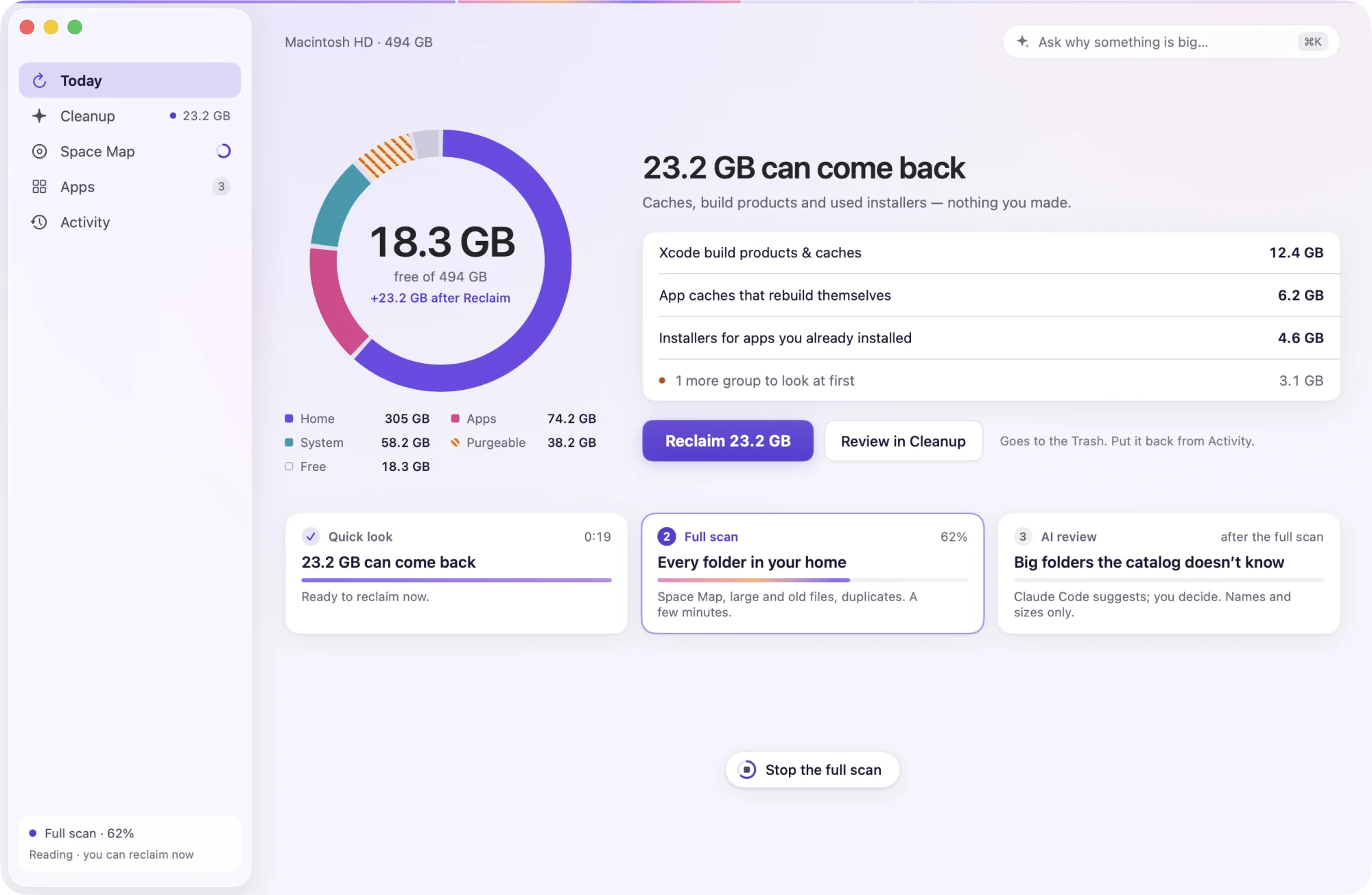
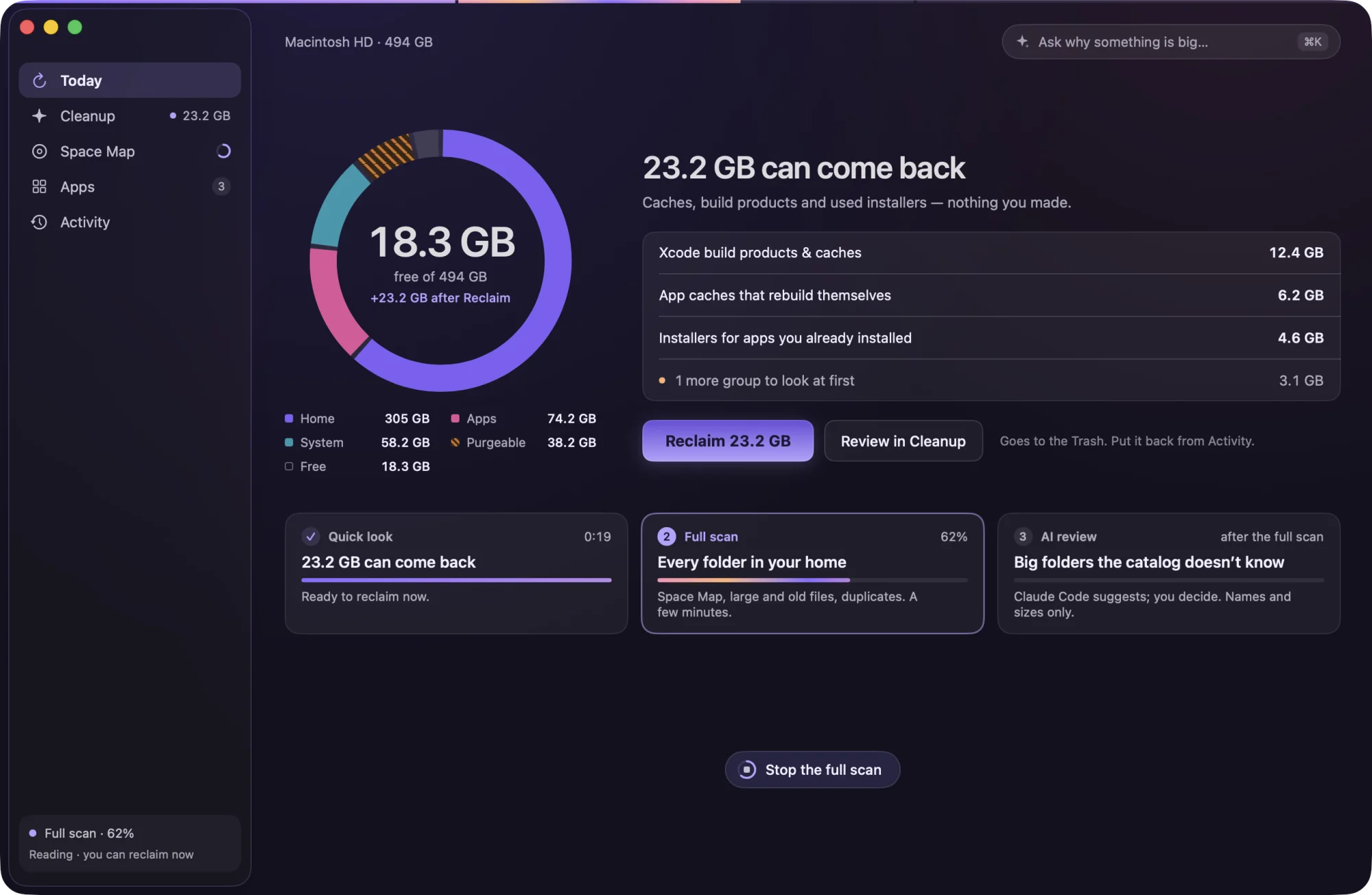
1Quick look 0:19
What comes back on its own
Caches, Xcode and npm build products, installers for apps you already have, AI models you can download again.
For macOS 26 Tahoe
Clutterfall reads your Mac, says in plain words what each big thing is and what is safe to remove, and moves it to the Trash — so anything can come back.
Version 1.3 · 13.0 MB · macOS 26 Tahoe or later
Clutterfall runs on a Mac. Send this page to yours with AirDrop, Messages or Mail, and download it there.
Free for good if you start before 1 May 2027No accountNothing about your disk goes online
Caches, build products and used installers — nothing you made.
Fifty seconds
From “your disk is almost full” to the space back — what goes to the Trash, what you decide, and what Time Machine still holds, measured instead of guessed.
The Sweep
The quick look is ready in seconds, so you can reclaim at once. The full scan carries on behind it, and the AI review starts only if you allowed it.
1Quick look 0:19
Caches, Xcode and npm build products, installers for apps you already have, AI models you can download again.
2Full scan a few minutes
The Space Map, large files you haven’t opened in a year, exact duplicates compared byte for byte.
3AI review if you allow it
Your own Claude Code or Codex suggests what could go. It sees names and sizes, never a file’s contents.
Space Map
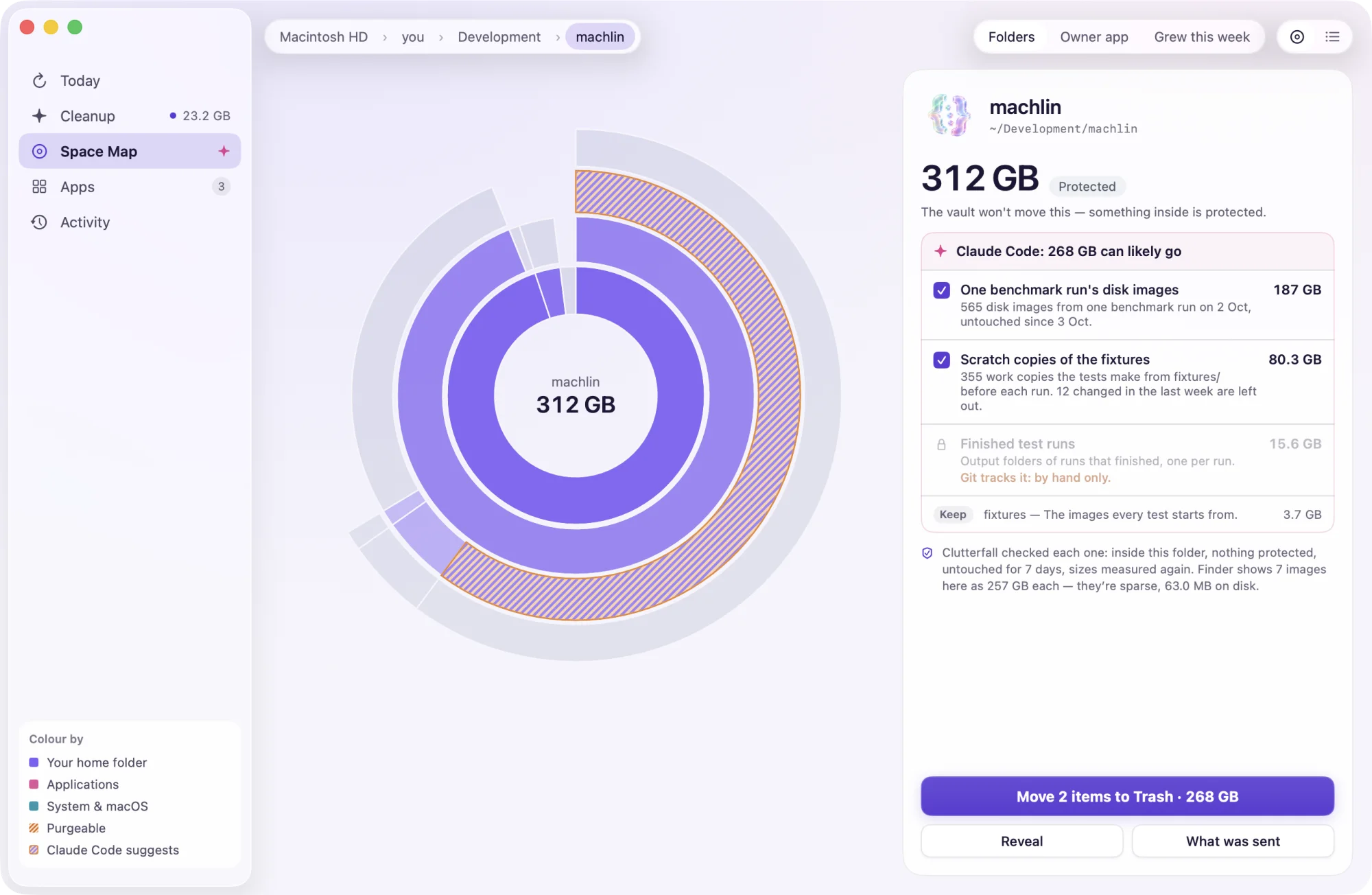
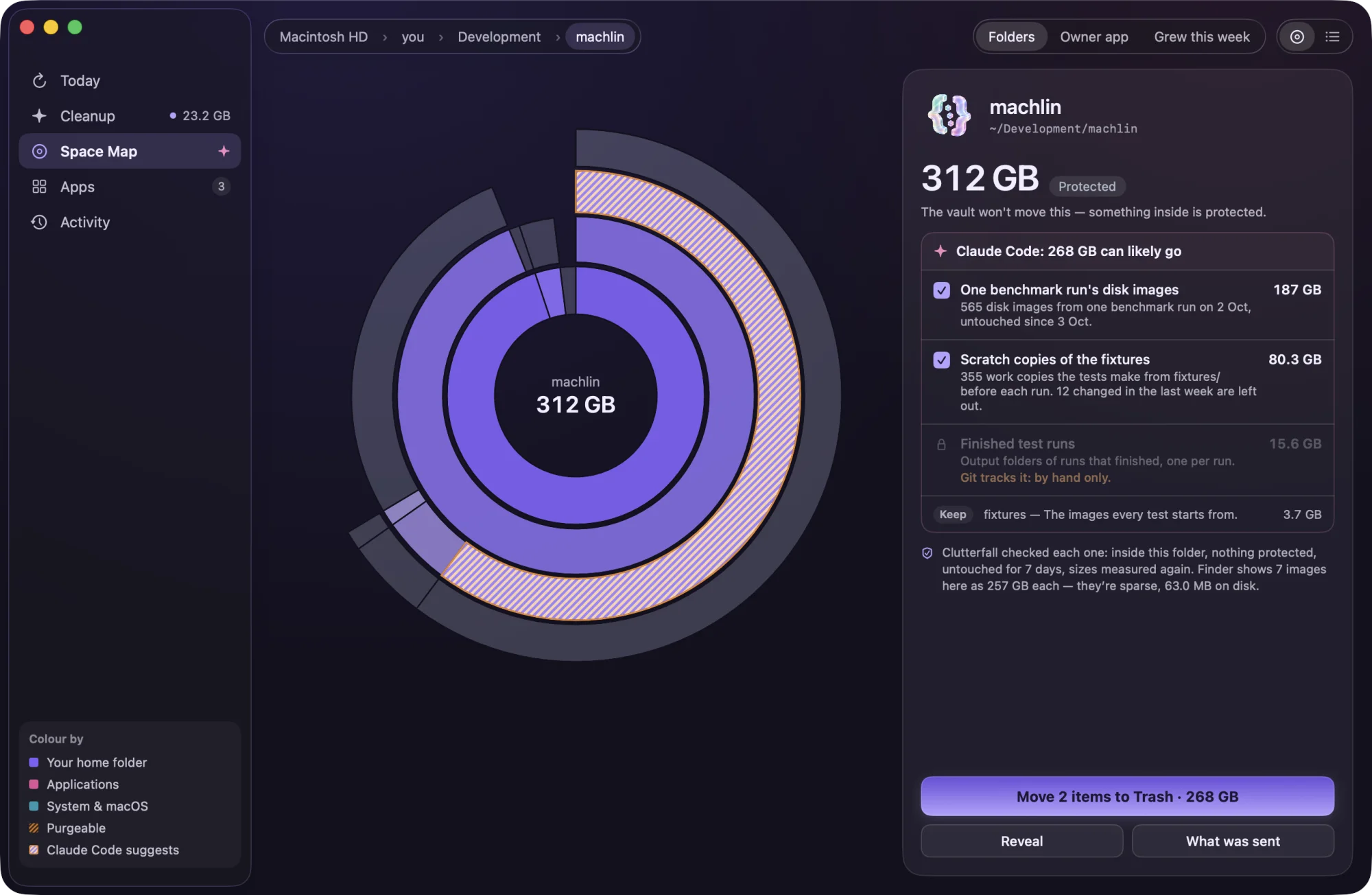
Every ring is a folder, sized the way Finder sizes it. Zoom into anything, group by the app that owns it, or see what grew this week.
AI review
Connect the Claude Code or Codex you already use. It reads an inventory of a big folder and names what looks made again. Clutterfall then checks every path itself.
fsync-profile-20261003 — a profiling run of 14,843 files.*-pristine.raw — the base images the work copies are made from.3.1 GBEach path is checked again as it moves.
{
  "folder": "~/Development/machlin/btrfs/artifacts",
  "size": "293 GB", "files": 358047, "today": "2026-10-30",
  "entries": [
    { "id": "e1", "kind": "group", "path": "*-work.raw", "size": "72.3 GB",
      "files": 210, "newest": "2026-10-23",
      "examples": ["native-io-final-20261003-before-04-work.raw", …] },
    { "id": "e4", "kind": "folder", "path": "perf-commit-20261002",
      "size": "188 GB", "files": 35904, "newest": "2026-10-03" },
    …
  ]
}
Safety
The rules are in the code, and tests and build checks hold them there. A move that can’t be undone has its own button and its own warning.
URLSession, a socket or a web view.
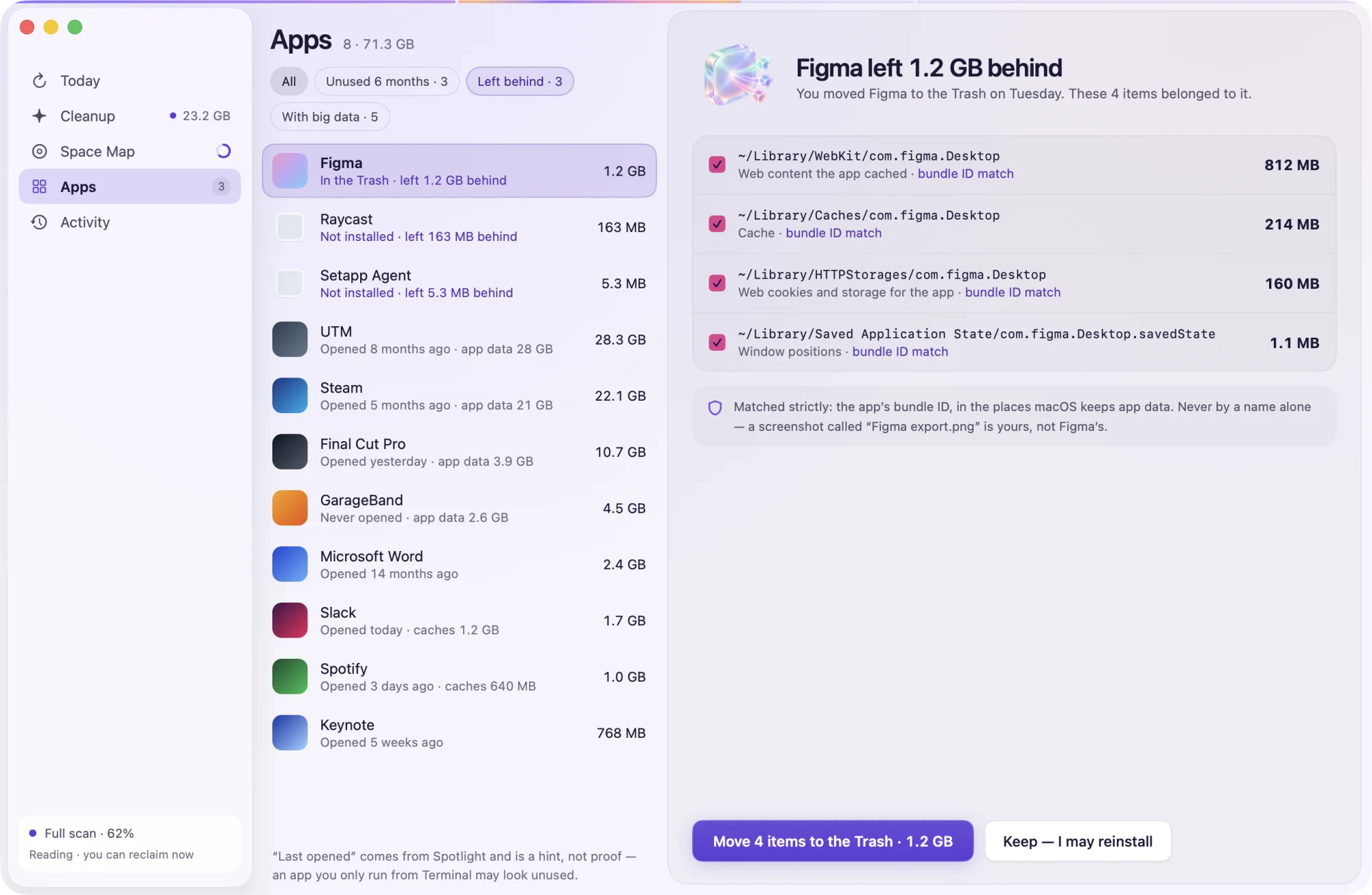
Clutterfall finds what an app leaves behind by its bundle ID, never by a guess at its name, and moves app and leftovers together.

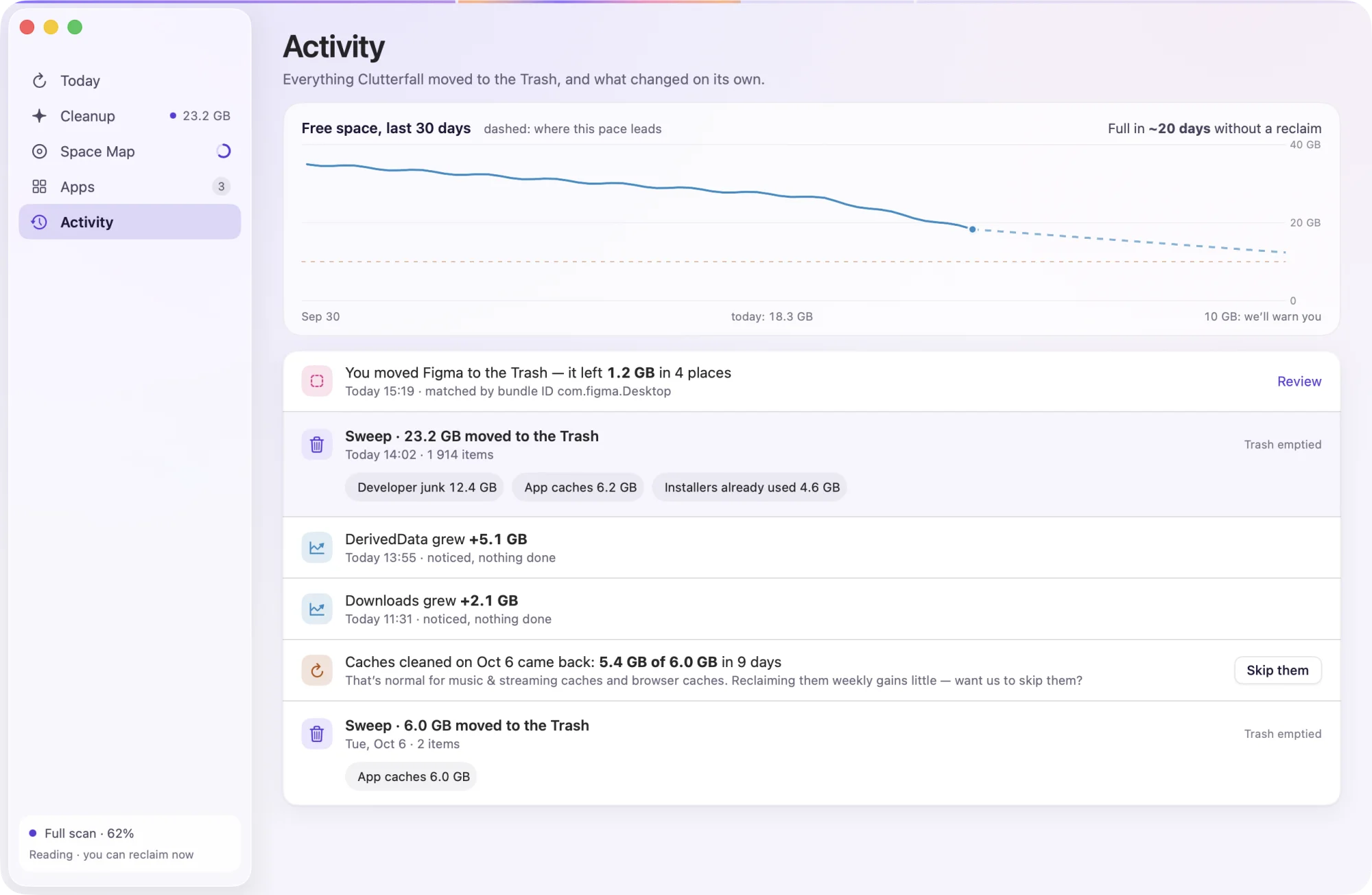
Activity lists every move with what went and where. It also notices caches that came back, and folders that grew on their own.
Price
Clutterfall is free on this site today. If you open it on your Mac before 1 May 2027, it stays free on that Mac for good — no account, nothing to sign up for.
TODAY — 30 APRIL 2027
Download, open, use everything. Clutterfall remembers that this Mac started during the free period and keeps it free after the date too.
Last free day 30 April 2027
AFTER
One purchase, no subscription. It also unlocks this website version: open the App Store copy once, then put this one in its place.
Looking around — every scan, size and explanation — stays free.
File moves go to the Trash. Activity can put them back while they remain there and their original places are free — one item, one group or everything. Emptying the Trash, deleting snapshots and Tool cleanups are permanent, with a separate confirmation before they run.
Nothing about your disk. Clutterfall’s own code has no network code, and a build check keeps it that way. The website version asks clutterfall.app for the newest version once a day, if you allow it; that request carries nothing about you or your Mac. If you connect Claude Code or Codex for the AI review, that tool sends names and sizes of the folders you allow, through your own account, and you can read every word in “What was sent”.
It runs in Apple’s sandbox, so it sees less: it can’t list local Time Machine snapshots or run Tool cleanups, its catalog is smaller, and the AI review isn’t there. Buying it unlocks this website version too, which can do all of that.
Full Disk Access, which you grant in System Settings — Clutterfall walks you through it. Without it, Clutterfall still works on your home folder.
Any Mac with macOS 26 Tahoe or later.

macOS 26 Tahoe or laterFree for good if you start before 1 May 2027